Scripts & Routing
Security
Server and stream scripts return HTML, and most of that HTML carries data: a search query, a user name, a row from a database, a field from an API. This page explains why that is the riskiest code on a Bascik site, what Bascik guarantees on its own, what stays your job, and how html from @bascik/bascik/html makes the safe way the easy way.
Why string-returning servers are risky
A server script's return value is markup by contract. Bascik cannot escape it as a whole, or every <li> you wrote would show as text. Escaping can only apply to the values you put into the markup, and only you know where each one lands: between tags, inside a quoted attribute, in an href, or inside a <script>. Each place needs a different treatment, and some places cannot be made safe at all.
When one value slips through unescaped, a visitor writes markup into your page. On a Bascik site that markup can be more than an <img onerror>: it can be the tag of any of your components, with props, slots and attributes the visitor chose, and each component's own server and stream scripts then run with the current request. The html template exists so that this cannot happen by accident.
What Bascik guarantees
When the values in your output are escaped, Bascik keeps escaped data from ever becoming code. The rules are the same on the dev server, bascik --server, and Cloudflare Workers, and for the same tag written in a page at build time. These protections are on by default; each one that changes your output can be switched off by name in the security config (see Turning protections off):
- A prop is text. Its value is decoded once and escaped again where it lands, so it becomes element text or one attribute value, never markup. A prop receiver on a
<script>or<style>is never filled. - Inherited attributes keep their quoting and their value. A usage attribute that the component's root has inherited stays one attribute on the component's root, whatever quote the root uses, with the value as written. The one exception is an attribute that becomes a URL only because of the root's tag; see Attributes That Become URLs on the Root. An inherited
classorstylemerges into the root's own one, so a value that spellsclass=stays a value. See Attribute Inheritance. - URL bindings are checked. A script URL runs code when the link is clicked or the frame loads, so a prop bound to a URL attribute becomes
about:invalidwhen it is a script URL:javascript:,vbscript:,livescript:,mocha:or a non-imagedata:URL. (The last three afterjavascript:are obsolete browser names, listed here once; the rest of these docs say "script URLs such asjavascript:".) This is the one URL rulehtmluses too. Any other URL is kept as the browser would take it (see Loading scripts and styles from other sites). - Some bindings are refused. A prop is never bound to an
on*event handler,srcdoc, a<meta http-equiv>value, the attribute an SVG animation sets, or astylethat runs script or imports CSS. See Put a Prop in an Attribute. - Nested scripts get no usage data. A script inside a returned component receives the request, never the usage tag's props, slot or attributes.
- Markers cannot be forged. Only the markers Bascik creates for the current request run nested scripts. A marker spelled in the output is text.
- Budgets stop hostile output. One script output may expand to 1000 component instances and 4 MiB of HTML, one response may run 64 nested component scripts 4 levels deep, and rereading is bounded. Past a budget the script fails like any other error. The numbers are server settings in
scripts.renderLimits. See Rules for returned tags. - Responses carry security headers. Five headers against file-type guessing, framing by other sites, referrer leaks and popups reaching back into your page, HSTS over HTTPS,
private, no-storeon pages built per request, and a 404 for dotfile paths such as/.env. Seesecurity. On Cloudflare the Worker sends them on what it answers, and static files on Cloudflare, which the platform serves without the Worker, get the headers and HSTS from a site-wide rule the build writes into the generated_headers, as Security settings on Cloudflare shows.
What is yours
- Escaping what you interpolate. Build markup with
htmlin every script and helper (build, server and stream scripts, API routes, and the helpers they import), andesc()a value in a string built without it. No escaper of your own is needed. - HTML from a CMS or Markdown. Sanitize it before it reaches the page; escaping would destroy it.
- Component scripts. A component's client script should treat its own markup as data, never as code to run.
- The Content-Security-Policy. Bascik sends none by default. The
contentSecurityPolicyoption sends one with your directives and the build's hashes. - Third-party URLs. Script and stylesheet URLs from data load whatever site they name. See below.
- Names and ids. A value you write into
idornamecan shadow a global in client JavaScript (DOM clobbering). Prefix such values, or keep them indata-*attributes.
Where values land
| Where the value lands | Plain template literal | html |
|---|---|---|
| Text between tags, including in component tags | Inserted raw: a visitor can write any tag | Escapes & < > " ' |
Quoted attribute value, data-bascik-prop-* | Inserted raw: a " ends the attribute | Escapes & < > " ' |
URL attribute (href, src, action, srcset, ping) | javascript: runs | Script URLs become about:invalid, then escapes |
<textarea>, <title> | </title> ends it early | Escapes; refuses nested markup |
Unquoted attribute (class=${x}) | A space starts a new attribute | Throws unquoted-attribute |
on* event handler (onclick), style attribute, srcdoc | Runs as code | Throws |
<script> or <style> body | Runs as code | Throws, except json(value) in <script type="application/json"> |
| Tag name, attribute name, comment | Chooses the element or attributes | Throws |
Every refusal is a located HtmlError naming the template, the hole and the fix. HTML Helpers lists each one.
Using html
Import html and use it as a tag on the template you return. Each value is escaped for the place it lands, and nested html values (or arrays of them) are inserted as they are, so .map needs no .join(""):
<script data-bascik-server>
  import { html } from "@bascik/bascik/html";

  export default async function (request) {
    const q = new URL(request.url).searchParams.get("q") ?? "";
    const rows = await search(q);
    return html`<h2>Results for ${q}</h2>
      <ul>
        ${rows.map((row) => html`<li><a href="${row.url}">${row.title}</a></li>`)}
      </ul>`;
  }
</script>
html returns a SafeHtml object. A server or stream script can return it on Node and on Cloudflare Workers, and a build script can too. It is not a string: call String(value) before using string methods on it, for example in a handler test, and type a helper that returns it as SafeHtml (see html). Keep html at every level: joining fragments with + or .join("") makes a plain string, which an outer html then escapes, so the page shows <li>.
Two habits from plain templates need a different shape. A hole cannot add or remove an attribute, so write a boolean attribute such as selected or checked in the template and choose between two fragments in code; checked="${false}" renders checked="", which is still checked. See Boolean attributes. And when html refuses a template, the browser shows a plain 500 Internal Server Error page in development too: the located message (template, hole, file and line) is in the terminal that runs bascik.
Build scripts deserve the same care when their data comes from somewhere others can edit, such as a CMS, a JSON file from an API, or a spreadsheet. A value there runs on every visitor's page (stored XSS) the same way. Building build script output with html costs nothing at request time, since it runs once per build.
Search with html
The search page below echoes the query and renders a <product-card> (the card from Render a card per search result) for each product whose name contains it. The Output is the body bascik --server sent for GET /find?q=kettle, built with the same minification-off config as the server script demos. There is no Preview because this docs site cannot run a server script.
<!-- src/pages/find.html -->
<!doctype html>
<html lang="en">
  <head>
    <title>Find</title>
  </head>
  <body>
    <script data-bascik-server>
      import { html } from "@bascik/bascik/html";

      const catalog = [
        { name: "Milk frother", price: "$129" },
        { name: "Pour-over kettle", price: "$48" },
      ];

      export default function (request) {
        const q = new URL(request.url).searchParams.get("q") ?? "";
        const matches = catalog.filter((p) =>
          p.name.toLowerCase().includes(q.toLowerCase()),
        );
        return html`<p class="results">Results for ${q}</p>
          ${matches.map(
            (p) =>
              html`<product-card
                data-bascik-prop-name="${p.name}"
                data-bascik-prop-price="${p.price}"
              ></product-card>`,
          )}`;
      }
    </script>
  </body>
</html><!-- src/pages/find.html -->
<!doctype html>
<html lang="en">
<head>
<title>Find</title>
</head>
<body>
<style>
.bascik__product-card__card {
display: grid;
gap: 6px;
padding: 16px;
border: 1px solid #3a3d40;
border-radius: 12px;
background: #242628;
color: #f0f1f2;
}
.bascik__product-card__name {
margin: 0;
font-size: 1rem;
}
.bascik__product-card__price {
margin: 0;
color: #8d929e;
}
.bascik__product-card__badge {
justify-self: start;
padding: 2px 10px;
border-radius: 999px;
background: rgba(211, 255, 141, 0.15);
color: #d3ff8d;
font-size: 0.75rem;
font-weight: 600;
}
.bascik__product-card__save {
justify-self: start;
padding: 4px 12px;
border: 1px solid #3a3d40;
border-radius: 8px;
background: transparent;
color: #f0f1f2;
cursor: pointer;
}
.bascik__product-card__save[aria-pressed="true"] {
border-color: rgba(211, 255, 141, 0.6);
color: #d3ff8d;
}
</style>
<p class="results">Results for kettle</p>
<!-- src/components/product-card/product-card.html -->
<article class="bascik__product-card__card" data-testid="product-card">
<h3 class="bascik__product-card__name">Pour-over kettle</h3>
<p class="bascik__product-card__price">$48</p>
<span class="bascik__product-card__badge">Standard</span>
<button
class="bascik__product-card__save"
type="button"
aria-pressed="false"
data-testid="product-card-save"
>
Save
</button>
</article>
<script>
(function () {
// src/components/product-card/product-card.js
// One click listener serves every card on the page. The text is the same in
// every instance (no scoped id), so one CSP hash covers cards a server script
// renders at request time too.
if (!document.documentElement.hasAttribute("data-product-card-save")) {
document.documentElement.setAttribute("data-product-card-save", "");
document.addEventListener("click", (event) => {
const save = event.target.closest(".bascik__product-card__save");
if (save === null) return;
const saved = save.getAttribute("aria-pressed") !== "true";
save.setAttribute("aria-pressed", String(saved));
save.textContent = saved ? "Saved" : "Save";
});
}
})();
//# sourceURL=src/components/product-card/product-card.js
</script>
</body>
</html>A malicious ?q= comes back as text
The same page, attacked
Here the same page gets a query that holds a component tag and an <img> with an onerror handler. The Output is the body bascik --server sent for GET /find?q=%3Cproduct-card%20data-bascik-prop-name%3Dx%3E%3Cimg%20src%3Dx%20onerror%3Dalert(1)%3E%3C%2Fproduct-card%3E. The query comes back as escaped text: no card is rendered, no <img> element exists, and nothing runs. There is no Preview because this docs site cannot run a server script.
<!-- src/pages/find.html -->
<!doctype html>
<html lang="en">
  <head>
    <title>Find</title>
  </head>
  <body>
    <script data-bascik-server>
      import { html } from "@bascik/bascik/html";

      const catalog = [
        { name: "Milk frother", price: "$129" },
        { name: "Pour-over kettle", price: "$48" },
      ];

      export default function (request) {
        const q = new URL(request.url).searchParams.get("q") ?? "";
        const matches = catalog.filter((p) =>
          p.name.toLowerCase().includes(q.toLowerCase()),
        );
        return html`<p class="results">Results for ${q}</p>
          ${matches.map(
            (p) =>
              html`<product-card
                data-bascik-prop-name="${p.name}"
                data-bascik-prop-price="${p.price}"
              ></product-card>`,
          )}`;
      }
    </script>
  </body>
</html><!-- src/pages/find.html -->
<!doctype html>
<html lang="en">
<head>
<title>Find</title>
</head>
<body>
<p class="results">
Results for <product-card data-bascik-prop-name=x><img src=x
onerror=alert(1)></product-card>
</p>
</body>
</html>The helpers
@bascik/bascik/html exports four more plain functions. Each one is a call you can see in code; nothing runs on its own.
raw(value)marks HTML you trust, such as sanitized CMS or Markdown output, sohtmlinserts it as it is.esc(value)returns an entity-escaped string for code that builds strings withouthtml. Insidehtmlit escapes twice.safeUrl(value, { base, origins, image })returns the URL, orabout:invalidwhen it could run script or sits on an origin you did not list.json(value)returns JSON that is safe as the only content of<script type="application/json">.
See HTML Helpers for every option, the contexts and values tables, and every error message.
CMS and Markdown content
HTML from a CMS, a Markdown renderer or an API is already markup, so escaping would show its tags as text. Sanitize it with an allowlist, then insert it with raw(). With a headless CMS or a Markdown renderer there is often no save step to sanitize in, so do it when you render:
<script data-bascik-server>
  import { html, raw } from "@bascik/bascik/html";
  import sanitizeHtml from "sanitize-html";
  import { getPost } from "@/lib/cms.ts";

  export default async function (request) {
    const post = await getPost(new URL(request.url).searchParams.get("id"));
    const body = sanitizeHtml(post.bodyHtml, {
      allowedTags: [
        "p",
        "h2",
        "h3",
        "a",
        "strong",
        "em",
        "ul",
        "ol",
        "li",
        "blockquote",
        "code",
        "pre",
      ],
      allowedAttributes: { a: ["href"] },
      allowedSchemes: ["https", "mailto"],
    });
    return html`<article>
      <h1>${post.title}</h1>
      ${raw(body)}
    </article>`;
  }
</script>
Install the sanitizer as a dependency of the site (npm install sanitize-html); an inline server script imports it like any package. If the CMS cleans HTML when an editor saves it, you can sanitize there instead, once.
Choose a sanitizer that runs where your scripts run: a pure JavaScript one such as sanitize-html works on Node and in a Cloudflare Worker. A tag of one of your components in sanitized HTML still renders that component, so allow only the elements you expect.
Dynamic components with html fragments
A value never chooses which element to write: html refuses a hole in a tag name position (<${tag}>). To render one of several components, choose between fixed html fragments in code:
const card = (item) =>
  item.kind === "video"
    ? html`<video-card data-bascik-prop-title="${item.title}"></video-card>`
    : html`<article-card
        data-bascik-prop-title="${item.title}"
      ></article-card>`;
The same holds for attributes: write each attribute in the template with a quoted value, and choose between fixed fragments when the set of attributes changes.
Client data via data-* and json
Give client scripts request data through a data-* attribute, which html escapes, or through a JSON script filled with json(value):
<script data-bascik-server>
  import { html, json } from "@bascik/bascik/html";

  export default async function (request) {
    const user = await currentUser(request);
    return html`<div class="profile" data-name="${user.name}"></div>
      <script type="application/json">${json(user)}<\/script>`;
  }
</script>
json() escapes <, >, &, U+2028 and U+2029, so the data cannot end the script early. Any other value in a <script> makes html throw. Inside an inline server script, write the closing tag of a returned script as <\/script>, or the page's own script ends there.
Loading scripts and styles from other sites
Bascik allows a script, stylesheet or other loaded URL on any site, like the browser does. A prop bound to <script src>, <base href> or a stylesheet <link href>, and a value in html at the start of such an attribute, keep any http: or https: URL. Only script URLs (javascript: and the like) become about:invalid.
That is a risk when the URL comes from data a visitor can influence: a query parameter, a profile field, a CMS entry anyone can edit. Whoever picks a <script src> URL picks the code that runs on your page, a <base href> changes where every relative URL points, and a stylesheet can restyle or leak the page. Protect them with any of these:
- A Content-Security-Policy with
script-srcandstyle-srclisting the origins you load from. The browser then refuses any other origin. Bascik can send it for you withcontentSecurityPolicy. safeUrl(value, { origins })in the script, listing the origins you accept:safeUrl(theme.css, { origins: ["https://cdn.example.com"] })returnsabout:invalidfor any other origin, and keeps same-site paths.- The URL written in the template, not taken from data, whenever it is fixed.
- Fixed variants chosen in code: map a visitor's choice to one of a few URLs you wrote (
themes[name] ?? themes.default), so the value only selects.
Limit which sites your pages load from
To limit which sites your pages can load from, list them in contentSecurityPolicy. Bascik does not rewrite or remove a URL you wrote for this: the HTML ships unchanged, and the browser enforces the list when it loads the page. That is why the setting is off by default: only you know which sites your pages need.
Say your pages load scripts and styles from your own site and https://cdn.example.com, and images from your site and https://images.example.com:
// bascik.config.ts
import { defineConfig } from "@bascik/bascik/config";

export default defineConfig({
  contentSecurityPolicy: {
    directives: {
      "default-src": ["'self'"],
      "script-src": ["'self'", "https://cdn.example.com"],
      "style-src": ["'self'", "https://cdn.example.com"],
      "img-src": ["'self'", "https://images.example.com"],
    },
  },
});
Every HTML response then carries this header, with the build's hashes of the page's own inline scripts and styles added (shortened here):
Content-Security-Policy: default-src 'self'; script-src 'self' https://cdn.example.com 'sha256-...'; style-src 'self' https://cdn.example.com 'sha256-...'; img-src 'self' https://images.example.comWhat the browser does with it:
<script src="https://cdn.example.com/app.js">loads.<script src="https://evil.example/x.js">, from a URL a visitor slipped into a profile field, is blocked, and the browser console says why.<img src="https://images.example.com/a.png">loads; an image from any other site is blocked.- An inline
<script>a visitor manages to inject is blocked, because its text has no hash. - A
fetchor anything else not listed falls back todefault-src 'self': your own site only.
Before you copy this into a site, read CSP and request-time components below: with style-src set and hashes on, browsers block every style="..." attribute, and a component script that uses its instance id stops working. The starter pages have both, so add 'unsafe-inline' to style-src or fix those components first.
Start with reportOnly: true to see what would be blocked without blocking it. Content Security Policy has a recipe for each host.
CSP and request-time components
With generate.cspHashes or contentSecurityPolicy, every route lists the hashes of its own inline scripts and styles. A route with a server or stream script also lists the hashes of every component that can be rendered at request time, because any of them can be returned. A hash-only policy still blocks a <script> or <style> a visitor writes, since its text has no hash. A component tag injected through an escaping bug, though, runs that component's own client script, which is why html and component scripts that treat markup as data matter even with a policy. The Content Security Policy how-to has a recipe for each host.
Two things to settle before you turn a policy on:
- Component scripts must be the same in every instance. A client script that calls
getElementByIdon the component's own id carries the instance id in its text, so the build cannot hash it for a request-time render, and its button stays dead under the policy.bascik --checklists such components (the starter's<my-counter>and<site-header>among them). Components rendered at request time shows how to rewrite one, using the<product-card>from the search demo above. - Inline
styleattributes. Oncestyle-srclists a hash, browsers block everystyle="..."attribute, and the starter pages use a few. List'unsafe-inline'instyle-srcfor now (Bascik then adds no style hashes to it), or sethashes: { scripts: true, styles: false }. See Styles.
The linter
The language server, the VS Code extension and bascik --check warn with server-script-unescaped-markup when a script interpolates a value into a markup template without html. That covers server, stream, build and routes scripts, API routes, and the .ts and .js modules they import, since a build script's helper writes your pages too. API routes and the modules that server scripts, stream scripts and API routes import get every sink rule (an onclick, a style or an unchecked URL holding a request value); build scripts and their helpers get the ones that break markup whoever wrote the value:
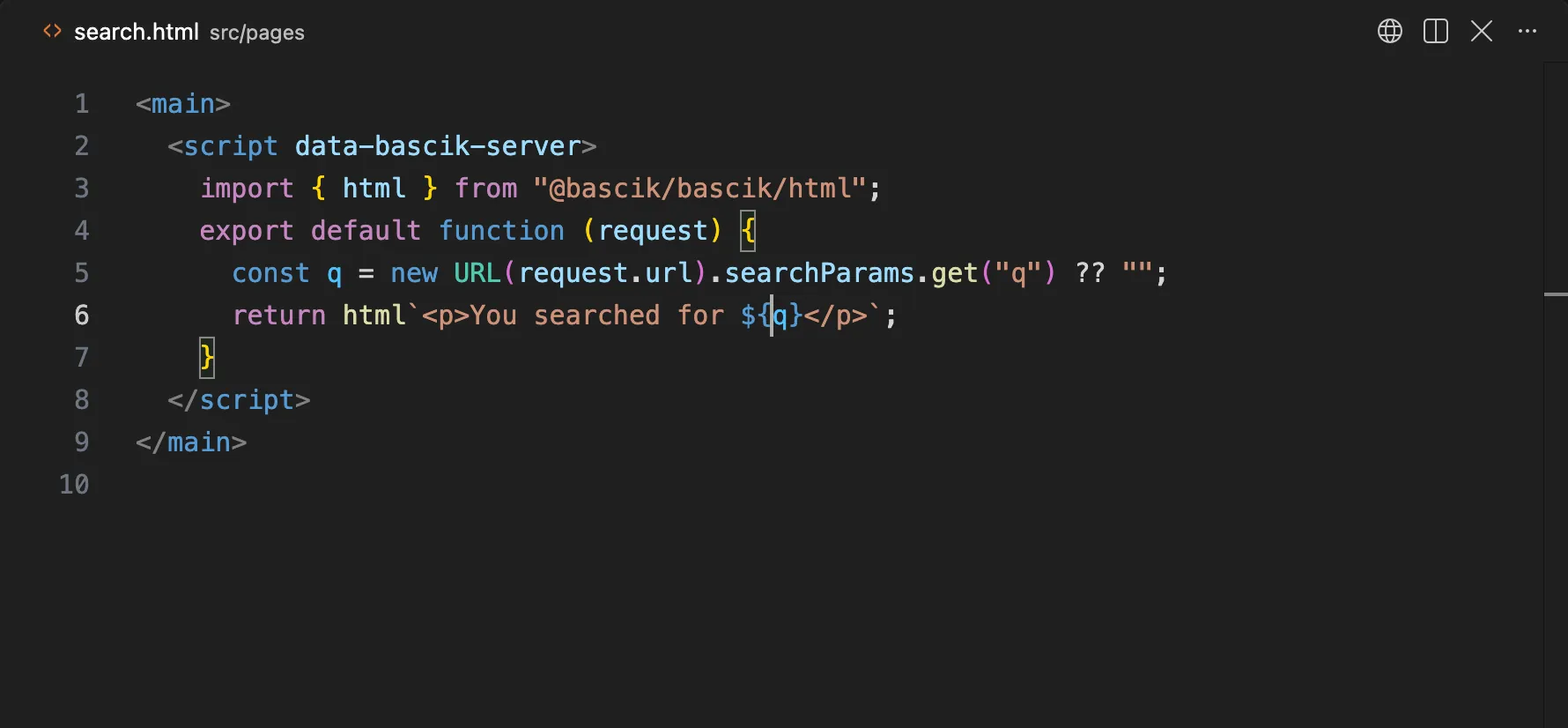
src/pages/search.html:14:31 - warning: (server-script-unescaped-markup) This markup template (line 14) interpolates ${q} (hole 1) without html. Wrap the template in html`...` from @bascik/bascik/html, which escapes each value for where it lands.The rule follows values through string concatenation (${first + last}) and through later assignments to a let or var, and checks templates tagged with String.raw or a dedent-style tag like untagged ones. It reads code, not data flow, so it cannot see every path a value takes: treat a clean report as a check, and build markup with html anyway.
A function that escapes HTML by hand (a .replace() chain that writes & and <) is reported as hand-written-html-escaper: use html, or esc() for a plain string, instead of keeping your own.
In the editor, the quick fix Wrap template in html`...` adds the tag and the import. It is not offered where html would throw (a tag name, an attribute name, a comment, a URL split from its scheme such as href="${base}${path}"), where a hole calls a project helper that may return markup, on an XML template (a sitemap or feed, which gets esc() advice), or where the name html and the alias safeHtml are both taken. bascik --check --fix does not apply it, because the value changes from a string to an html value. Inside html templates, the sink rules become errors where html would throw. See the Linter for configuration and suppression.
Turning protections off
Bascik changes what you wrote only to protect it, and each such change can be switched off in security. The default rule decides which way each one starts: a protection is on by default when it cannot break a correct site and needs no setup; it is off by default when the right setting depends on the site and needs setup. So every security key starts on, while contentSecurityPolicy and http.trustProxy start off.
Turn one off only for a reason you can name, and only that one. The keys are independent.
blockScriptUrlsmakes a prop bound to a URL attribute that holds a script URL becomeabout:invalid, and does the same for an inheriteddataon an<object>root. Off, every bound URL is written as given, with no warning. A reason: a component embeds a PDF from adata:application/pdfURL in an<object data>, which the check refuses because adata:URL other than an image can carry a script. Only turn it off when no visitor can choose the URL.blockCodeBindingsrefuses props bound toon*event handlers,srcdoc,<meta http-equiv>values, the attribute an SVG animation sets, and astylethat runs script or imports CSS, and leaves<script>and<style>prop receivers unfilled. Off, those props are bound and filled as written. This lets a prop become code. An attribute value is still escaped, so it stays one attribute, but in anonclickthat text runs. A<script>or<style>receiver gets the text unchanged, so the code works, except that</script(or</style) is written<\/scriptand, in a script,<!--is written<\!--, so the value cannot end the element early. A reason: a design-system component whoseonclickprop is always a literal written by your own team. Never pass it a value a visitor wrote.headerssends five response headers. Off, none is sent; an object changes or removes one. A reason: your pages are meant to be embedded on partner sites, so{ "x-frame-options": false }, or a CDN already sets these headers and you want one source of truth.hststells browsers to use HTTPS for a year. Off, no HSTS header. A reason: your host or CDN already sends HSTS, or you are moving the domain away from HTTPS. To undo an earlier policy, send{ maxAge: 0 }for a while instead of turning it off.privateDynamicPagesmarks pages built per requestprivate, no-store. Off, Bascik sends nocache-controlon them, and a shared cache can show one visitor's page to another. A reason: a page's server script shows the same thing to everyone (say, today's stock level) and your CDN should cache it. Never for a page that shows anything about the visitor.stripDirectiveScriptsremoves a<script data-bascik-build>,data-bascik-serveror other directive script that a build script prints. Off, printed directives stay and run like ones you wrote, so CMS content can run code during your build or on your server. A reason: a build script that generates pages with server scripts from a template in your own repository, never from content editors.hideDotfilesanswers 404 for a path with a dot segment and does not publish dotfiles fromsrc/pages. Off, every dotfile insrc/pagesis published, including.DS_Storeand any.envsomeone left there. A reason: a host that needs/.nojekyllor/.htaccessin the output. Checksrc/pagesfor stray dotfiles first.
What stays on whatever you set:
- A path with
.., a null byte or a control character gets 400 on every host. /.bascik/(wherebascik --build --targetwrites an adapter's deployment inside the output) is never served, even withhideDotfilesoff. The build's own manifests and sidecars sit beside the output folder, in.bascik/dist/, so a static deploy never uploads them.- The
htmlhelper escapes and checks values the same way;securitydoes not change it. - Opt-in protections such as
contentSecurityPolicystay as you configured them.
Checklist
- Every server and stream script that returns markup with data in it uses
html. - Each
securitykey is left on, or turned off on purpose for a reason you can name. - No value lands in an
on*attribute, astyle, a<script>or a<style>; client data goes indata-*orjson(). - CMS and Markdown HTML is sanitized with an allowlist, then inserted with
raw(). - Script and stylesheet URLs are fixed in the template, chosen from fixed variants, or checked with
safeUrl(value, { origins }). bascik --checkreports noserver-script-unescaped-markupwarning.- A Content-Security-Policy is on, through
contentSecurityPolicyor your host. - Component client scripts never run their own markup as code.
- The self-test below passes on every host you deploy to.
Self-test
Send a query that holds a component tag and an onerror payload to a page that echoes ?q=, on the dev server, after bascik --build && bascik --server, and on a Cloudflare preview:
curl -s "http://localhost:8080/find?q=%3Cproduct-card%20data-bascik-prop-name%3Dx%3E%3Cimg%20src%3Dx%20onerror%3Dalert(1)%3E%3C%2Fproduct-card%3E"The body must show <product-card data-bascik-prop-name=x><img src=x onerror=alert(1)> as text, with no <img element and no rendered card. In a browser, open the same URL: the page shows the query as text and no alert appears. Then try ?q=javascript:alert(1) on a page that puts the query in an href: the link must read about:invalid. If any check fails, find the template with Troubleshooting and the linter.